EV Charging · Philippines
Every charger in the country. One app.
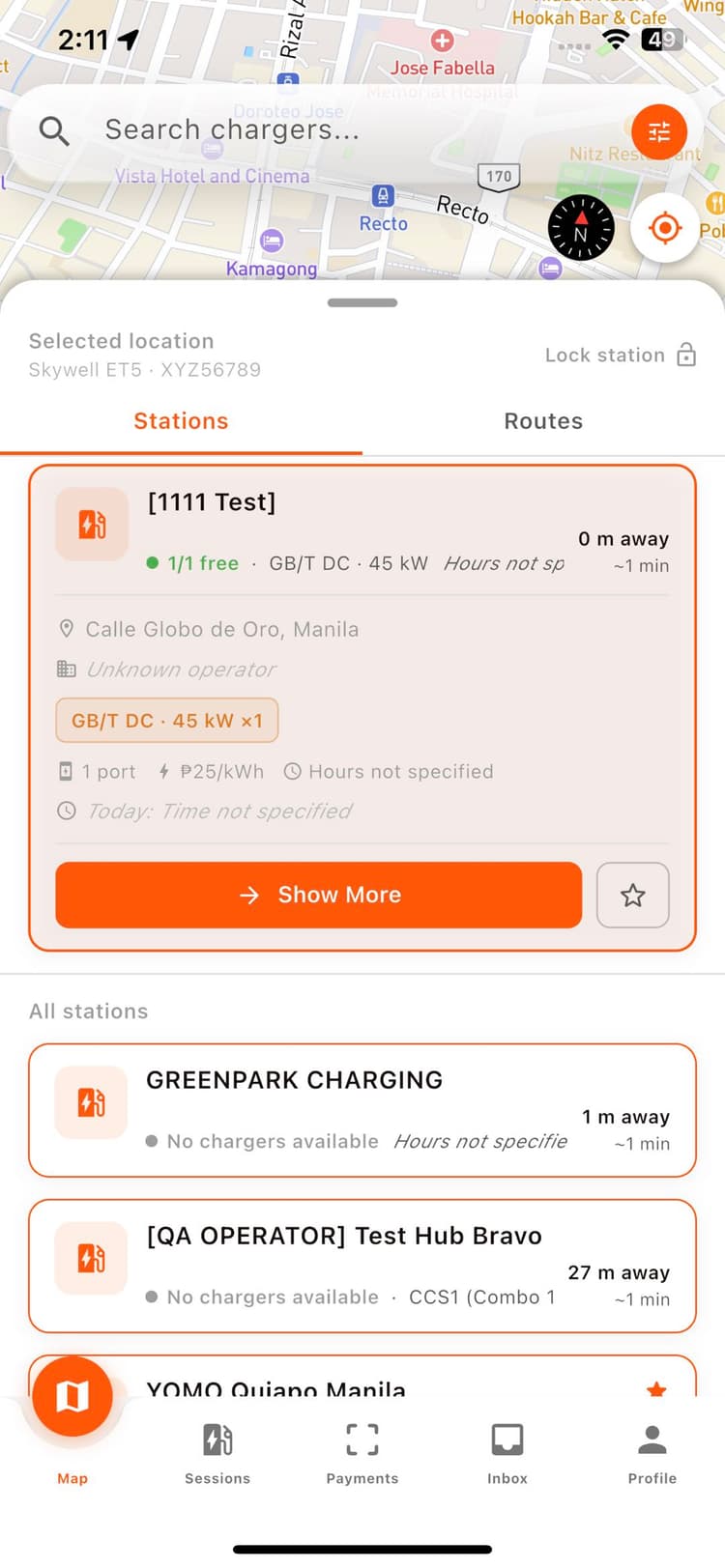
Live availability, connector details, and real-time session tracking — built for how EV drivers actually get around the Philippines.


Live
station and port status, updated in real time
OCPP 1.6
certified connection to physical chargers
3 ways
compare fastest, cheapest, and nearest routes

Networks on the map
Tell us where. We'll plan the charge.
Add your destination and current battery. OMI checks every leg, plans reachable charging stops, and lets you compare the fastest, cheapest, and nearest ways to get there.
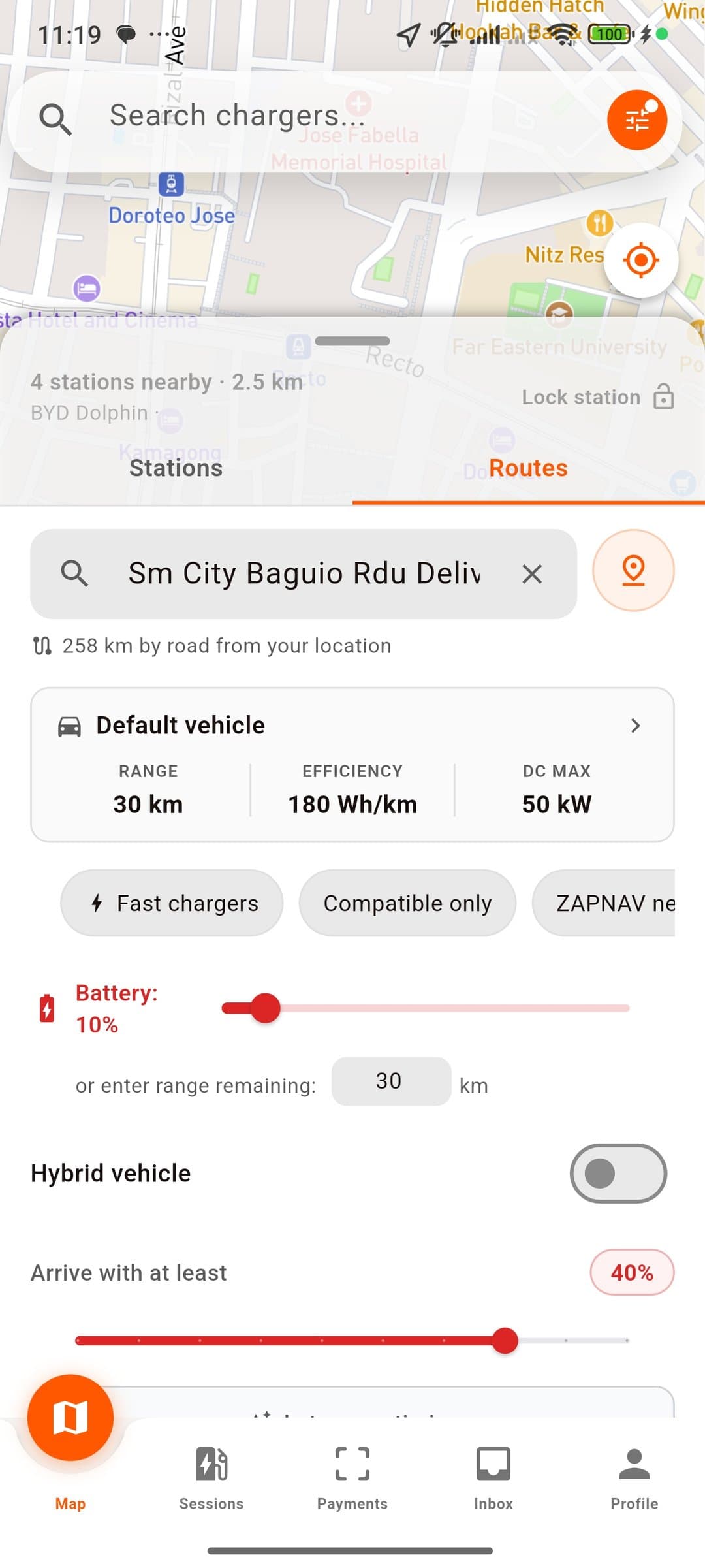

Set Destination
Enter where you’re headed and your current battery — OMI checks the rest.
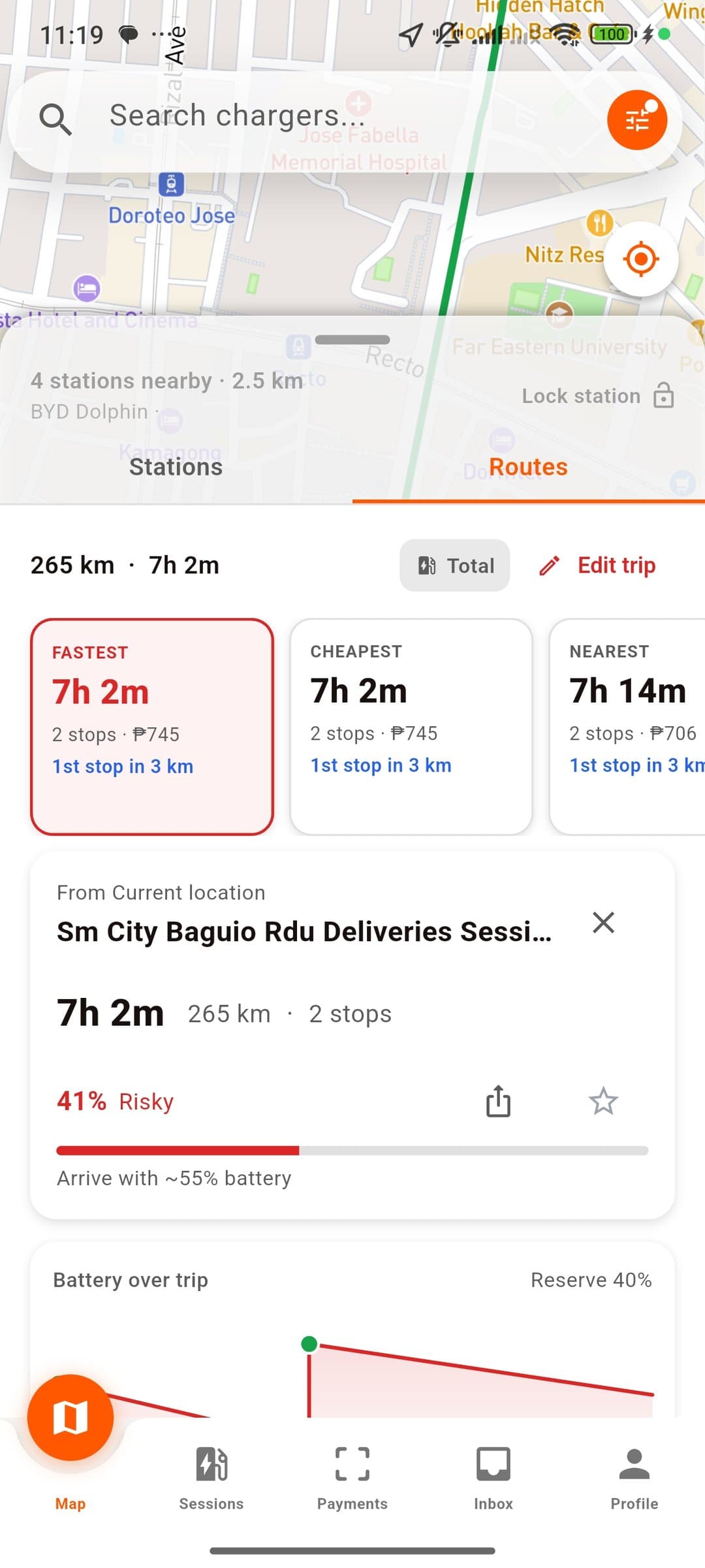
Compare three plans
Choose faster travel, lower cost, or stations nearest your route.
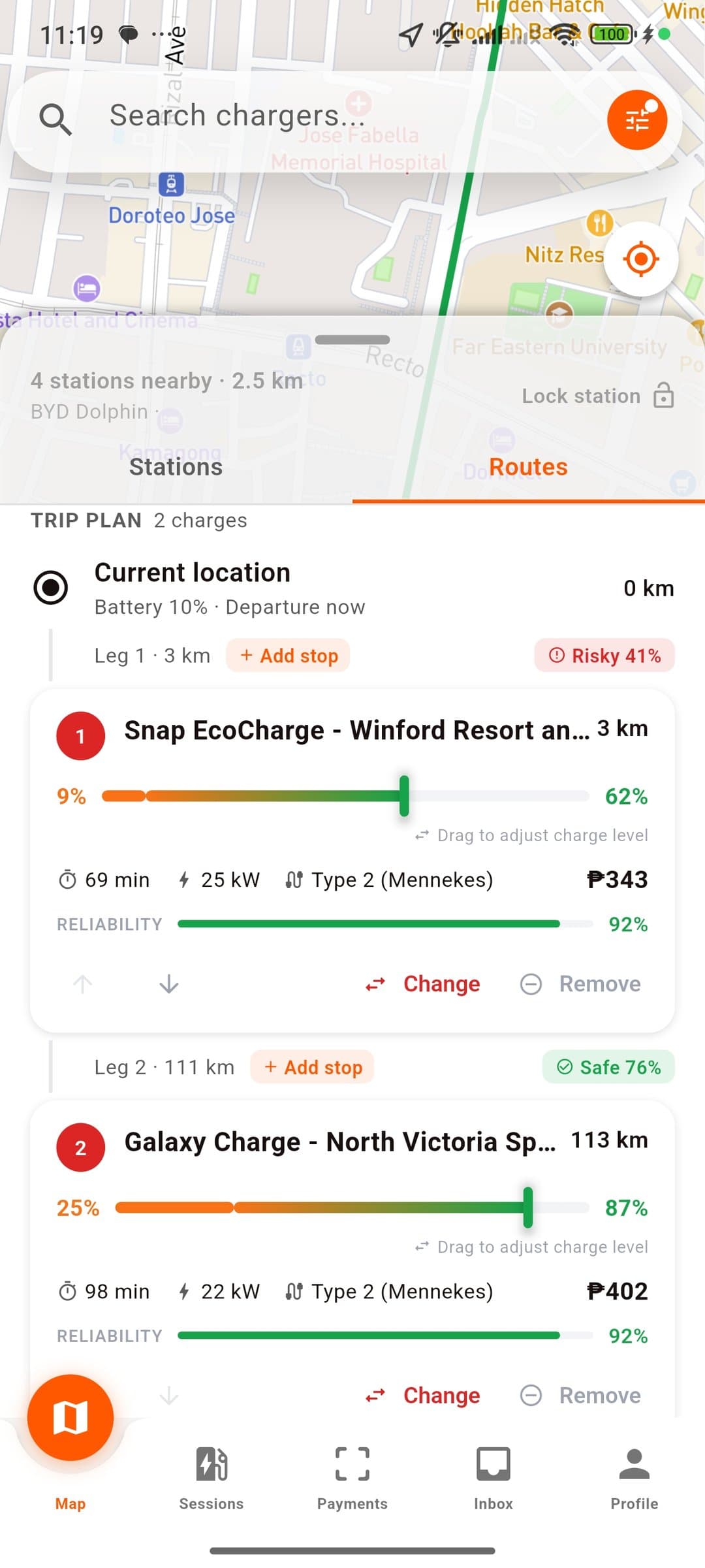
See every battery leg
Know where you arrive, how long you charge, and what battery you leave with.
A tactile interface for a scattered charging network.
A tactile interface for a scattered charging network.
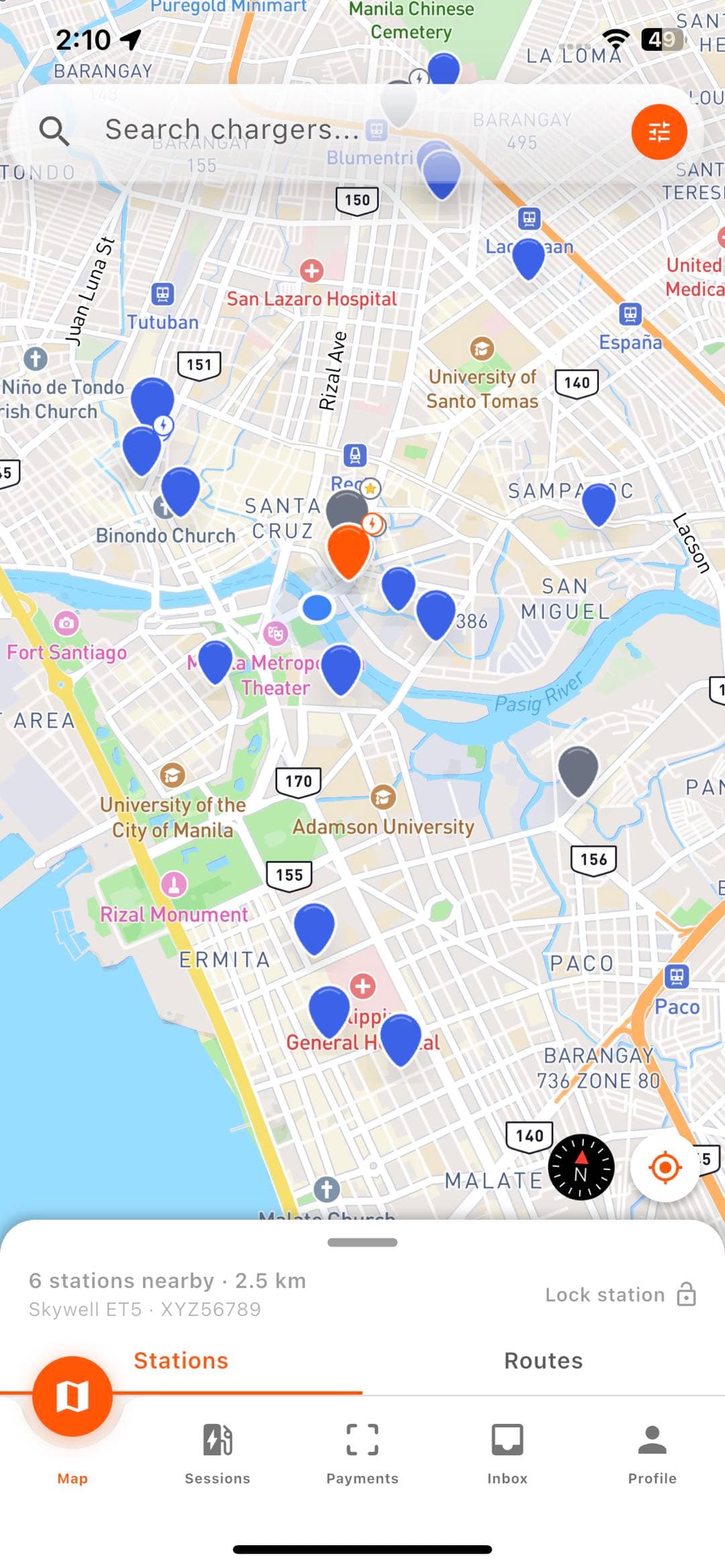
Every operator, one map
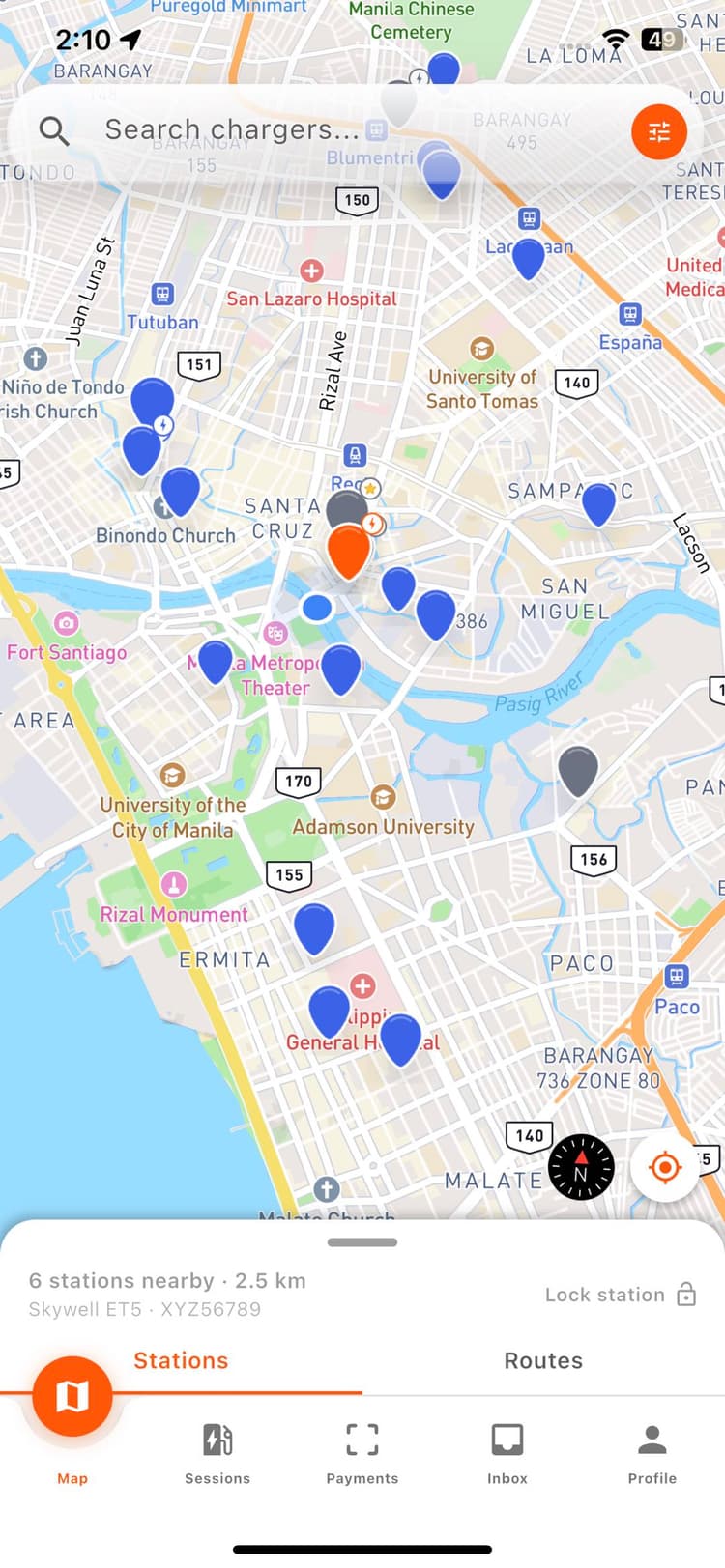
OMI’s own network merged with OpenChargeMap — every public charger in the country on one map, instead of one app per network.
Multi-operator aggregation
Every listed station, any operator, any plug type, on one live map.
Duplicate-free by design
Stations within 50m are merged so the same charger never shows twice.
Status that streams live
Charger state updates the moment it changes at the plug, not on a refresh.
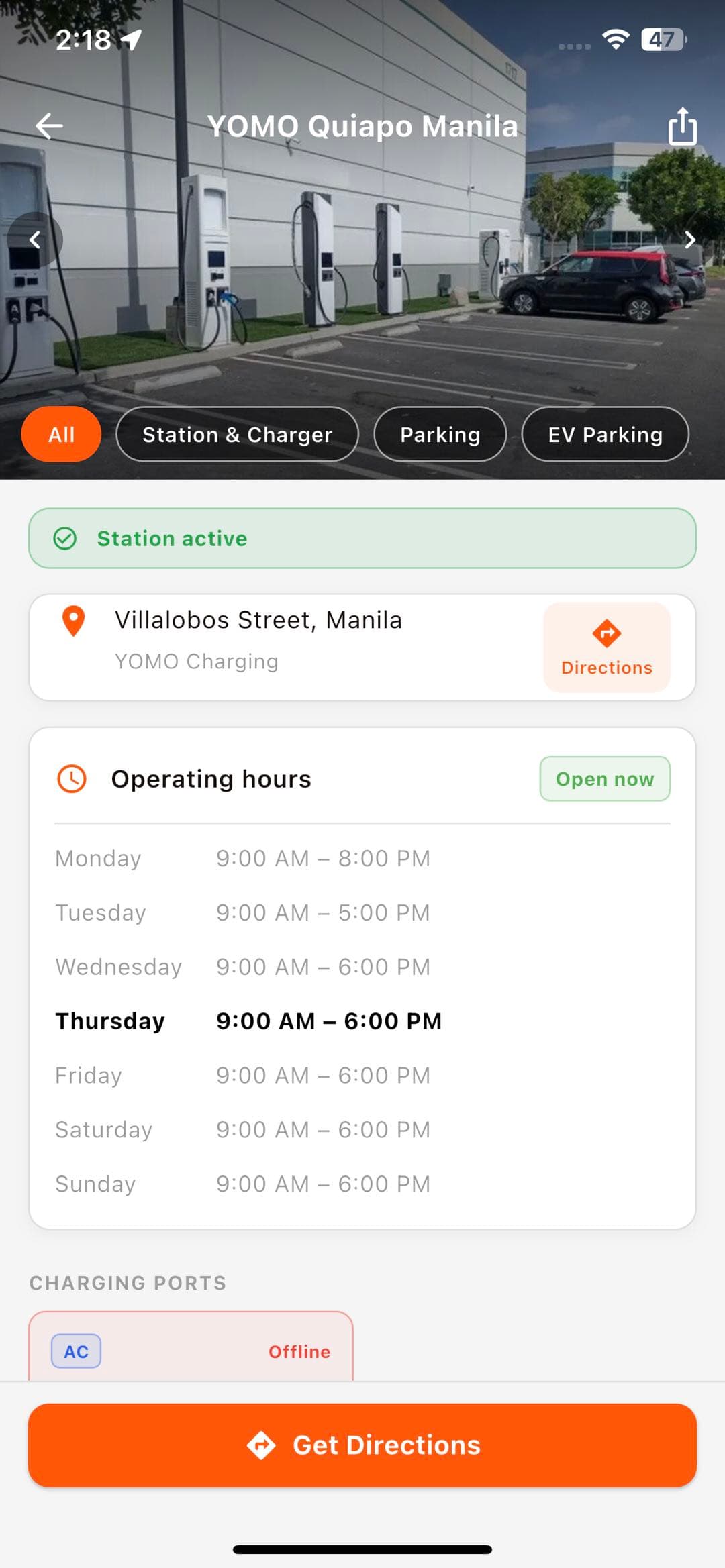
Everything about a stop, before you drive there
Photos, connector types, opening hours, and any active discount — whatever’s known about a stop, in one card before you commit to the trip.
Connectors and power
Every plug type and its max output, on every listed station.
Hours where we have them
Listed opening hours, plus live charger state when the station reports it.
Offers shown upfront
If a station has an active voucher or discount, it’s on the card.
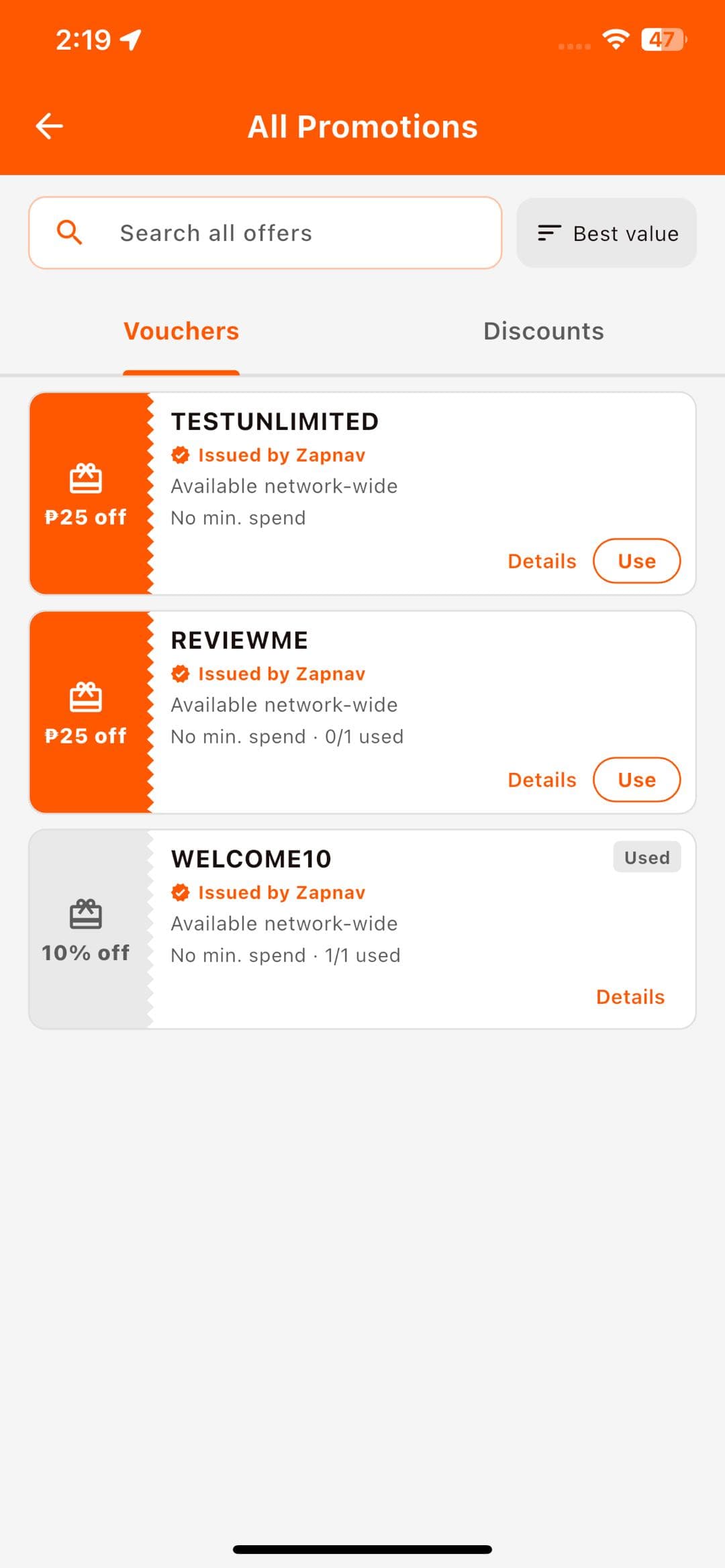
Every offer, in one wallet
Network-wide vouchers and station-specific discounts sit side by side — see what applies, what you’ve used, and what’s still on the table.
Network-wide vouchers
Codes issued by OMI that work at any participating station.
Station-specific discounts
Offers tied to a particular charger, shown right where you’d use them.
Usage tracked automatically
See what’s used, what’s active, and what’s expired at a glance.
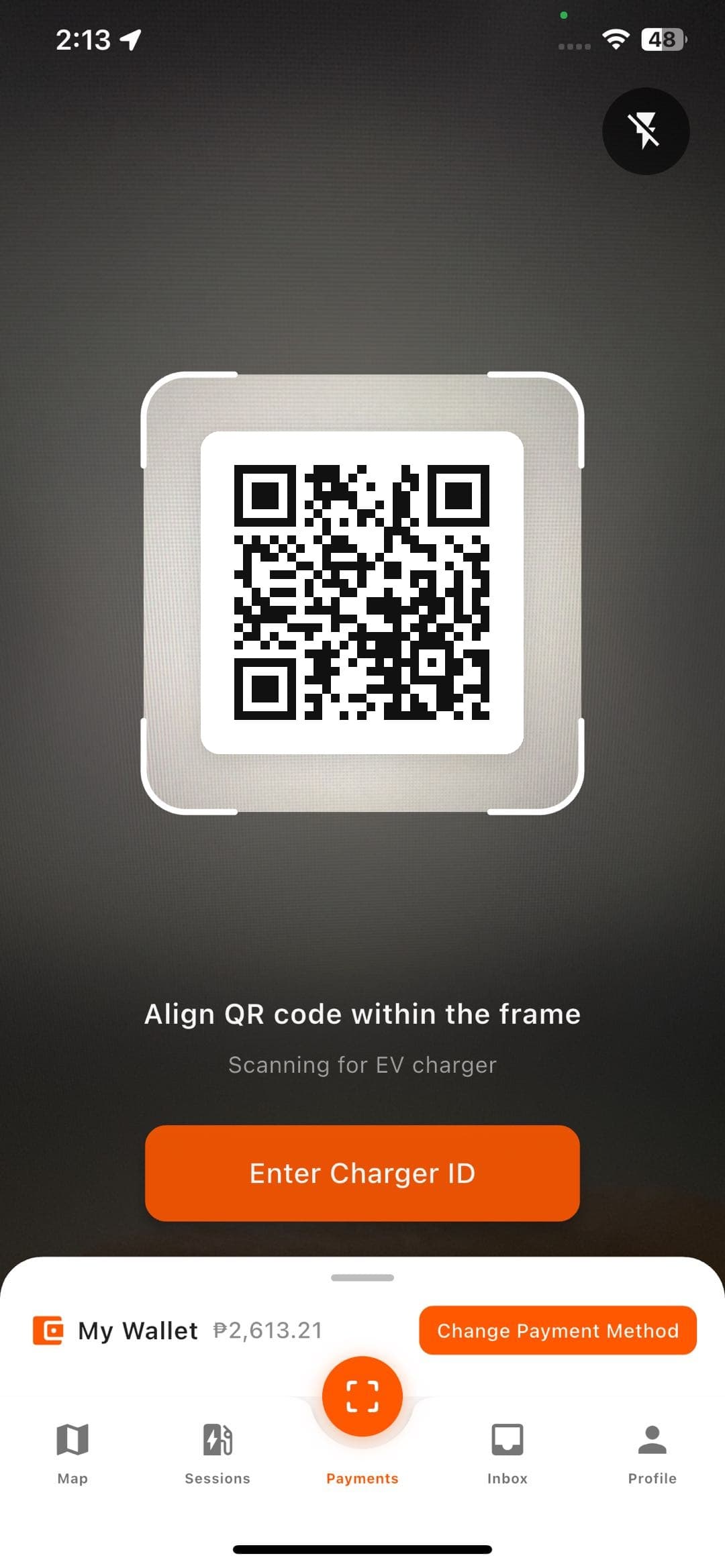
One scan and you’re charging
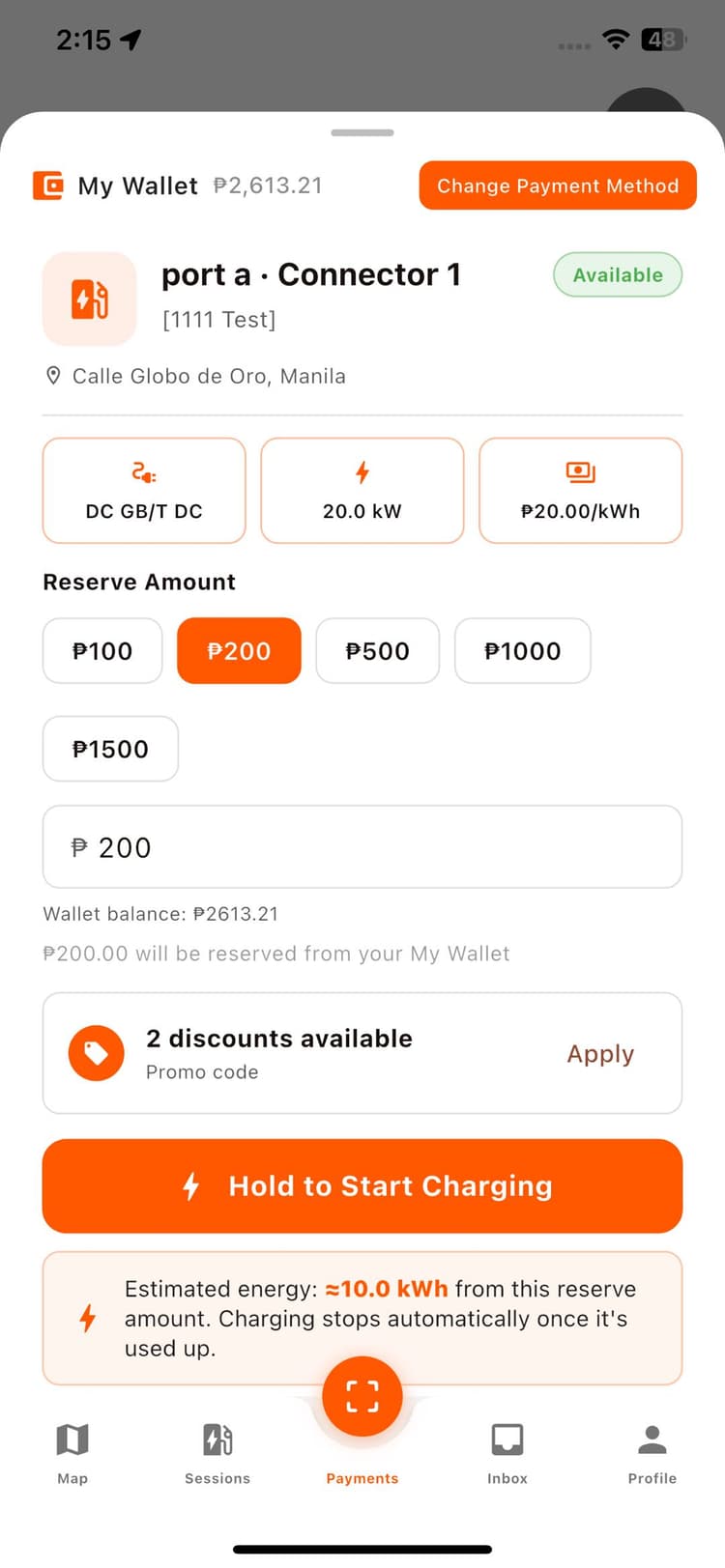
Point your camera at the charger’s code, OMI pulls up the right connector, and a wallet pre-auth hold opens the session the moment you plug in.
QR to connect
Point your camera at the charge point, OMI does the rest.
Wallet pre-auth
A hold opens the session — no card swipe at the plug.
Hold to stop
End the session with one deliberate press, not a stray tap.
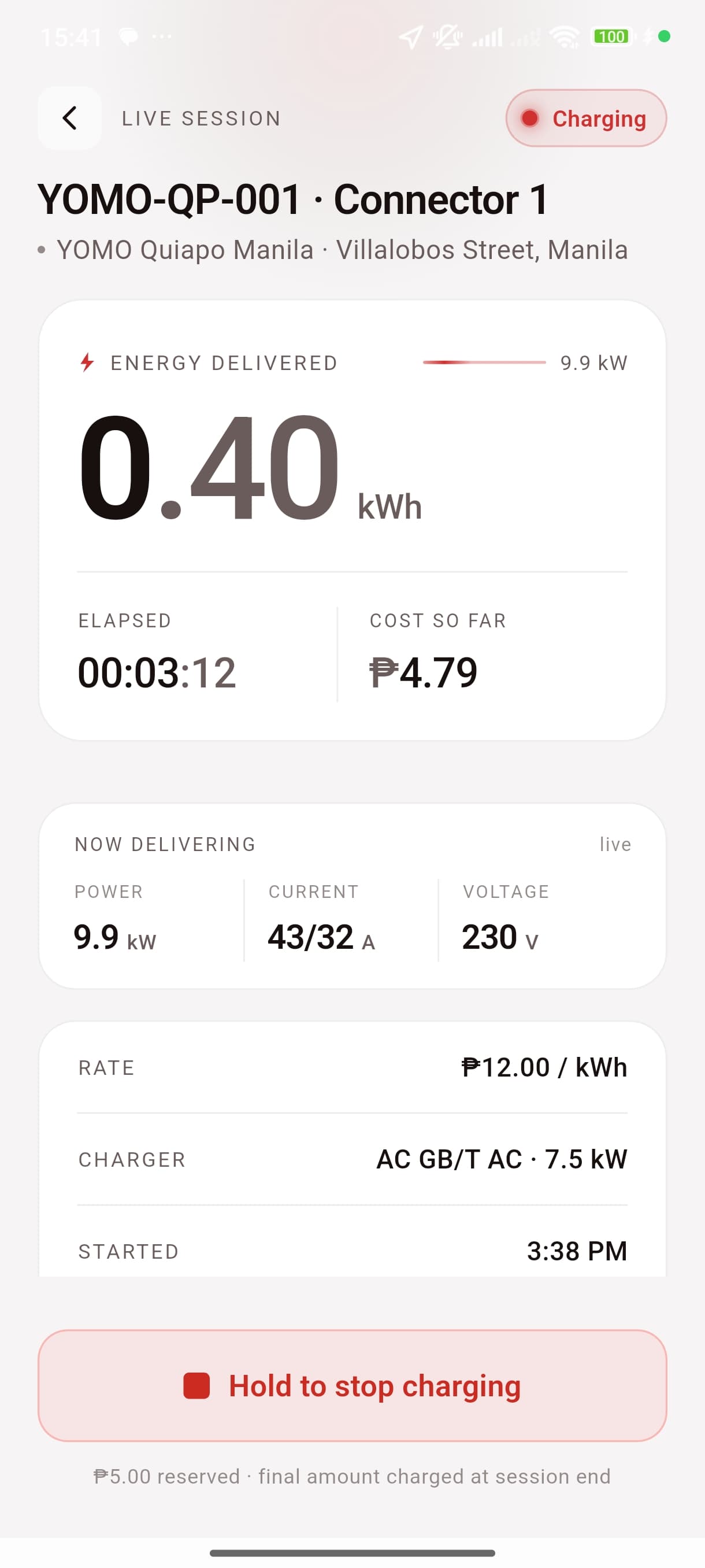
Never a guess mid-session
Energy, power, current, and cost so far update in real time while the session runs — every past charge stays searchable in your history.
Real-time energy
Power and kWh delivered tick up as the session runs.
Cost so far, live
Running total updates as energy is delivered, not just at the end.
Hold to stop
End the session with one deliberate press, not a stray tap.
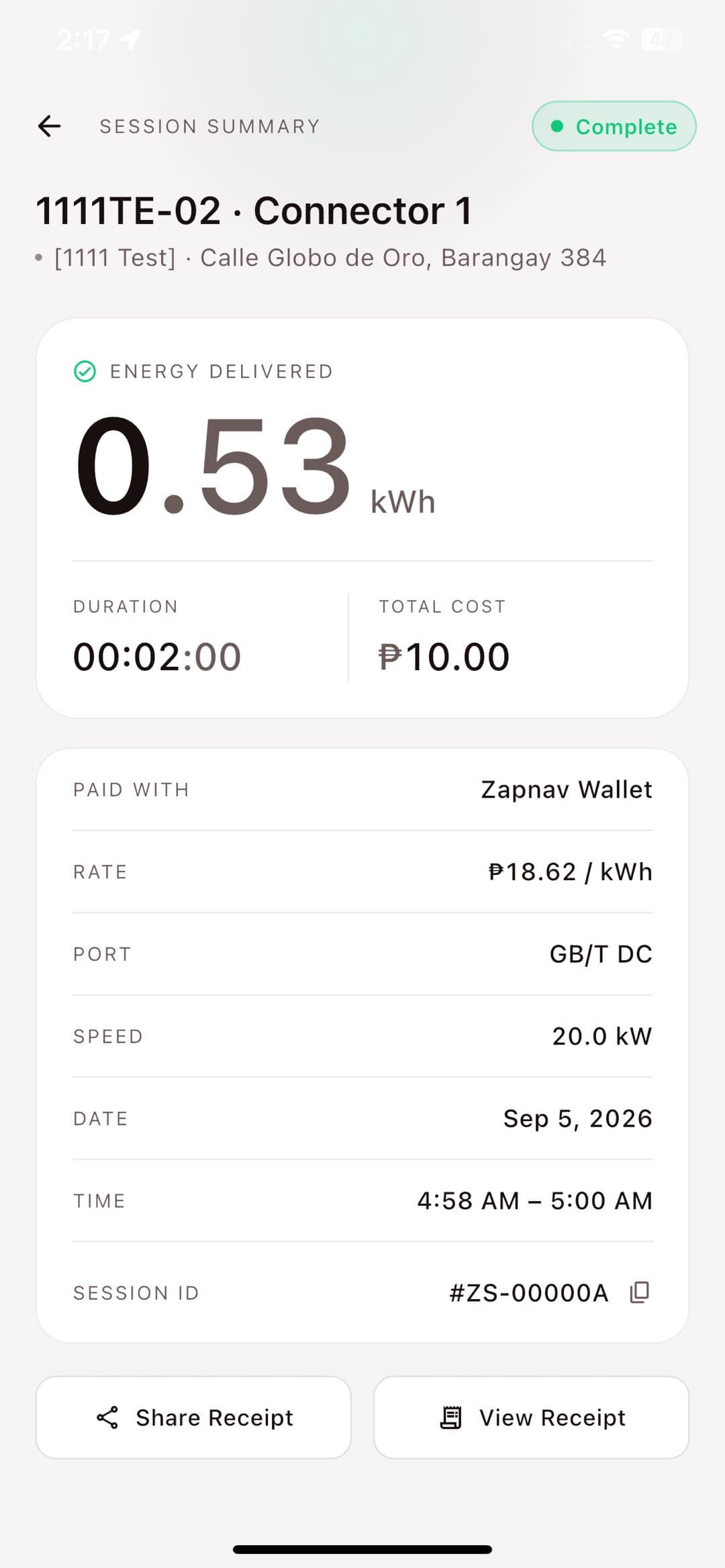
Clean receipts, every time
Every session ends with an itemized breakdown — pre-auth held, energy charge, total — and a receipt you can view or share instantly.
Itemized cost
Pre-auth, energy charge, and total broken down per session.
Settled automatically
No manual step to close out and pay for a session.
Share or view receipt
Every session’s receipt is one tap away, then or later.
Charge more, keep more back
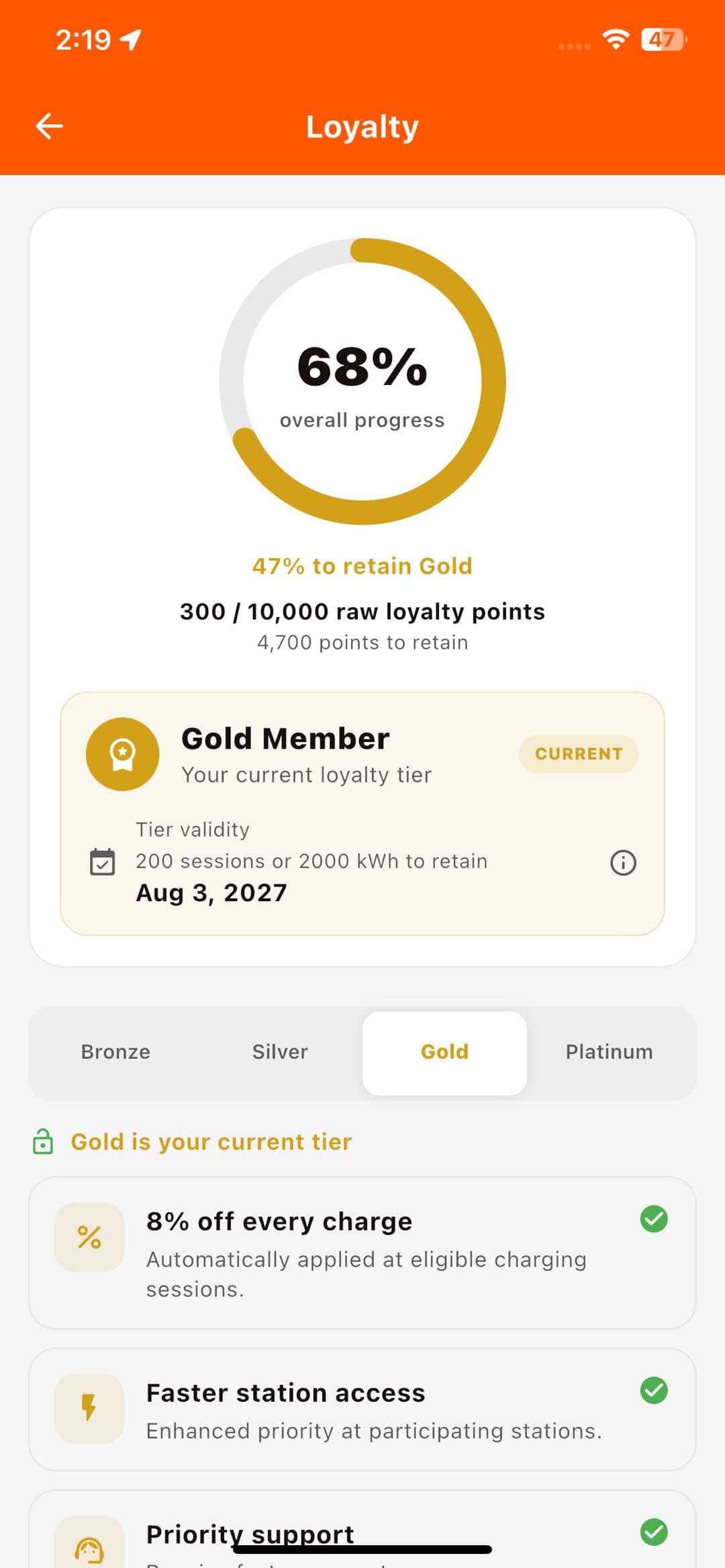
Every session earns points toward Core, Silver, Gold and Platinum — each tier adding priority support, exclusive vouchers, and free idle time.
Points from every session
Charging activity builds toward your tier automatically.
Priority support
Silver and up reach a human faster when a session needs help.
Perks that stack
Gold adds exclusive vouchers; Platinum adds five minutes of free idle time.
Pre-register and charge on day one.
Free to join. Your wallet and garage carry over at launch.
Benefits that grow with activity
Loyalty status progresses automatically from Core to Platinum based on charging activity — free, no subscription. A separate VIP membership with map provider choice, priority support, and discounted rates is coming soon.
 CORESILVERGOLDPLATINUM
- check_circlePriority support
- check_circleExclusive vouchers
- check_circleEarn points toward Platinum